Payroll Software for Small Business: How to Choose a System That Scales From 10 to 100 Employees
Discover how to choose payroll software for small business growth from 10 to 100 employees, with attendance, compliance, automation and scalable pricing.
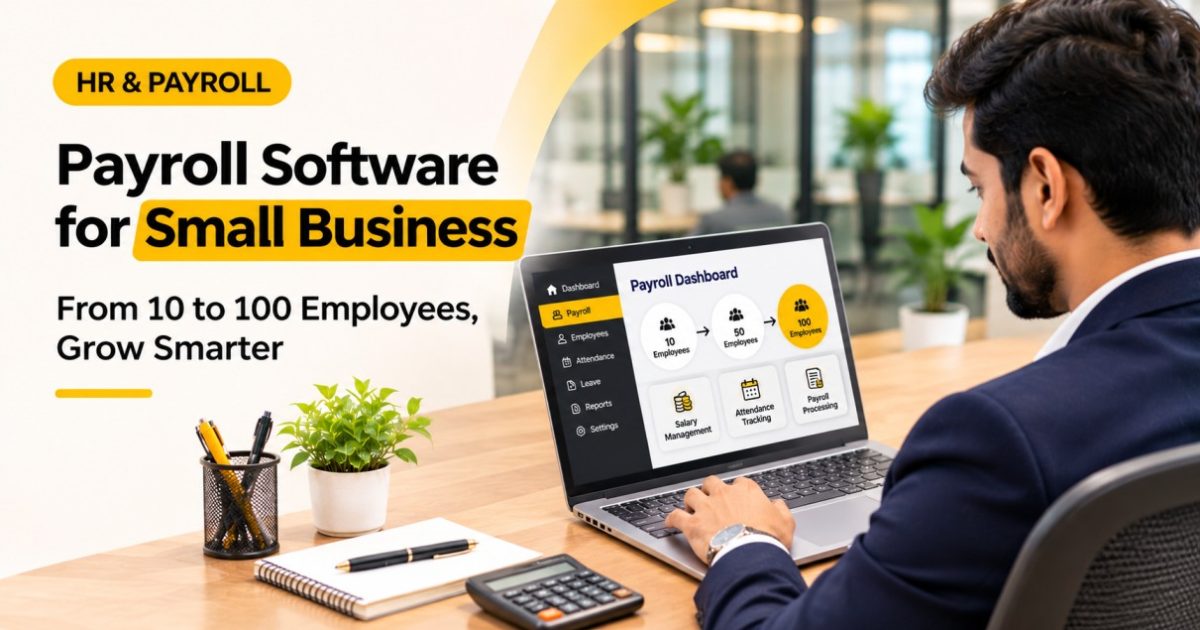
While you would think that managing the pay of just 10 people would be an easy task. Using a spreadsheet, attendance book and some calculations you can keep everything in check. However, if you start to grow your team, to maybe 30, 50 or even 100 people, this is when the manual process can take up lots of time. The right Payroll Software for Small Business will help you calculate staff pay, keep records in order, track attendance and ensure you are compliant with statutory requirements.
Why Growing Businesses Need Scalable Payroll Software
Small companies often have just one person on payroll.
As your team grows you will find things get complicated with new members joining, pay structures becoming more complex and more attendance records.
What used to only take a few hours can turn into a time-consuming task that needs to be done every month.
With scalable payroll systems you can easily adapt to these changes. No need to completely redesign your system when you hire new staff.
Start With Your Current Payroll Requirements
Before looking at payroll software options it is worth understanding how your business is currently handling payroll.
How many people do you have working for you? What kind of salary structures do you have in place? How often are they paid and what attendance policies do you have?
If you have only 10 staff on a salary you may just need basic functionality for salary and payslips but if you have 100 staff you may have multiple approval stages, shift management and complex payroll reports.
What Features Should You Look For?
An effective payroll system will have features such as employee information, salary calculations, timekeeping, holiday tracking, payslips and appropriate access controls.
By choosing features at the beginning you can avoid having to move platforms later.
Look for Automated Salary and Attendance Calculations
When working with manual payroll it can become complicated when staff have varying shifts and salaries.
Using Payroll Software for Small Business you can make these calculations easier by linking approved time sheets to the salary records.
For example if an employee uses unpaid leave you will be able to calculate the correct salary adjustment using a well set up system.
Automating your payroll will reduce any repeated tasks however you will still need to ensure that the staff records, salaries and payrolls are checked by the HR team prior to approval.
Check Indian Payroll Compliance Features
Managing statutory payroll obligations can become more complex as your employees increase.
Depending on what your employees are eligible for and which laws apply, you may need to manage PF, ESI, PT and TDS.
Ensure you have a solution to help with calculations, reporting and updating.
The Employees’ Provident Fund Organisation has official guidelines for provident funds.
As laws can change, you should regularly consider your compliance options.
Compare Payroll Software Costs as You Grow
Just because you start off with a low price, doesn't mean that this will stay the case.
Try to find out how much they charge based on the number of employees, features chosen, level of support included and extra modules:
Employee Based Pricing
If the software costs ₹60 per employee per month,
then for 10 employees you will pay ₹600 per month and for 100 employees you will pay ₹6,000.
These numbers are just an example.
Before you subscribe to the software you should work out what the cost will be based on how many people you currently have and how many you expect to have. You should also see if increasing the number of employees means you need to change your plan.
Prioritise Employee Self-Service and Data Security
HR spend time answering common employee questions about payslips and leave balances.
Self-service portals help employees to access the information they are permitted.
As payroll systems can include personal data, salary data and other sensitive financial information, it is important to think about security:
Role-Based Access Controls, Data Security, Audit Trail and Reliable Back up
How Make You Productive Supports Growing Businesses
Make You Productive is an all-in-one HR and Payroll Management solution designed for small businesses in India.
This includes a robust Payroll Module with Time Tracking, Leave Management, Self-Service Portal, Multiple Salary Structure and Statutory Calculations.
This provides businesses the ability to upload employee data using Excel and set up their payroll system to suit their needs.
There are also options available for subscription depending on the size of your workforce, even if you're growing and have up to 100 employees.
Frequently Asked Questions
1. What Is the Best Payroll Software for Small Business?
The best option depends on employee count, payroll complexity, compliance requirements, budget and future growth plans.
2. Can Payroll Software Handle 100 Employees?
Yes. Many payroll platforms support 100 or more employees, but businesses should verify plan limits and available features.
3. Is Payroll Software Better Than Excel?
Payroll software can reduce repetitive calculations, centralise records and improve consistency. Excel may still be useful for smaller, simpler requirements.
4. Can Payroll Software Calculate PF, ESI and TDS?
Many Indian payroll platforms support these calculations. Employers must verify applicable rules and review results for accuracy.
5. How Much Does Payroll Software Cost for Small Businesses?
Pricing varies by provider, employee count and features. Some platforms charge per employee, while others offer subscription tiers.
6. Can Employees Access Their Payslips Online?
Yes. Payroll software with employee self-service features can allow authorised employees to view or download payslips.
Conclusion
Choosing the correct Payroll Software for Small Business helps you prepare for future employees in your business.
Ensure it can automate processes, help stay compliant, keep sensitive employee data safe and have a reasonable price to scale with your business.
Check out Make You Productive Payroll and find something to suit your growing team.